Cart
0
You may also like


 GET OFFER PRICE TODAY.
Shop now
GET OFFER PRICE TODAY.
Shop now
 FREE SHIPPING ALL IN UAE
GET OFFER PRICE TODAY.
Shop now
FREE SHIPPING ALL IN UAE
GET OFFER PRICE TODAY.
Shop now
FREE SHIPPING ALL IN UAE
GET OFFER PRICE TODAY.
Shop now
FREE SHIPPING ALL IN UAE
GET OFFER PRICE TODAY.
Shop now
FREE SHIPPING ALL IN UAE
GET OFFER PRICE TODAY.
Shop now
FREE SHIPPING ALL IN UAE
GET OFFER PRICE TODAY.
Shop now
FREE SHIPPING ALL IN UAE
GET OFFER PRICE TODAY.
Shop now
FREE SHIPPING ALL IN UAE
GET OFFER PRICE TODAY.
Shop now
FREE SHIPPING ALL IN UAE
GET OFFER PRICE TODAY.
Shop now
FREE SHIPPING ALL IN UAE
FREE SHIPPING ALL IN UAE
GET OFFER PRICE TODAY.
Shop now
FREE SHIPPING ALL IN UAE
GET OFFER PRICE TODAY.
Shop now
FREE SHIPPING ALL IN UAE
GET OFFER PRICE TODAY.
Shop now
FREE SHIPPING ALL IN UAE
GET OFFER PRICE TODAY.
Shop now
FREE SHIPPING ALL IN UAE
GET OFFER PRICE TODAY.
Shop now
FREE SHIPPING ALL IN UAE
GET OFFER PRICE TODAY.
Shop now
FREE SHIPPING ALL IN UAE
GET OFFER PRICE TODAY.
Shop now
FREE SHIPPING ALL IN UAE
GET OFFER PRICE TODAY.
Shop now
FREE SHIPPING ALL IN UAE
GET OFFER PRICE TODAY.
Shop now
FREE SHIPPING ALL IN UAE
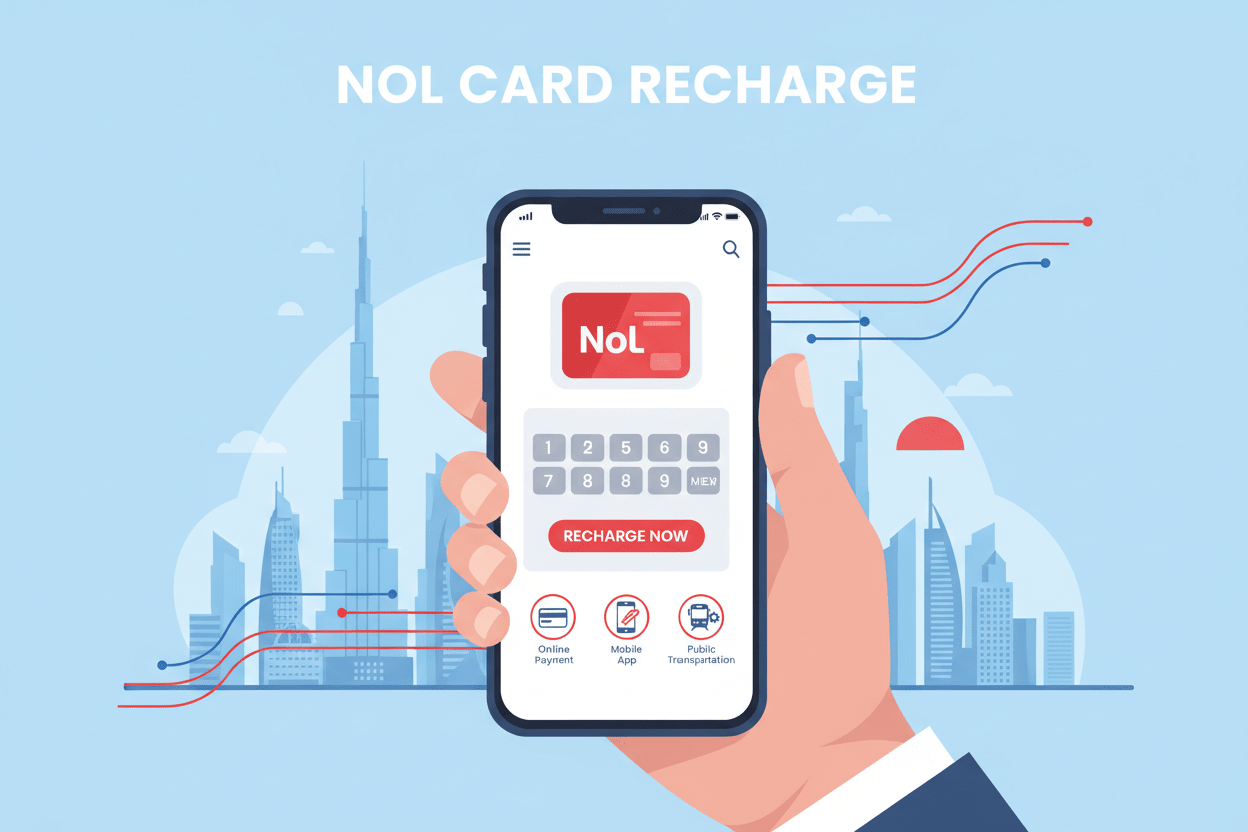
If you're traveling in Dubai, Nol card recharge is a key step for smooth and easy transport. Whether you're using the metro, tram, or buses, keeping your Nol card topped up is essential for stress-free travel. Luckily, recharging your Nol card online is simple, fast, and convenient. In this guide, we'll show you exactly how to recharge your Nol card online and keep your journey in Dubai hassle-free.
A Nol card is a smart travel card issued by the Roads and Transport Authority (RTA) in Dubai. This card is used to pay for rides on public transport systems like the metro, tram, buses, and water transport services. Whether you're a resident or a visitor in Dubai, the Nol card is essential for moving around the city. To maintain seamless travel, it's important to recharge your Nol card regularly.
Recharging your Nol card online offers several advantages. It's an easy and quick method that saves time, allowing you to recharge your Nol card anytime, anywhere, without the need to visit a kiosk or counter. The Nol card recharge service is available 24/7, meaning you can top up your card whenever it’s most convenient for you. It ensures you're always ready to travel without interruption.
Recharging your Nol card online is an effortless process. Follow the steps below to recharge your Nol card without any hassle:
Open your browser and go to the official RTA Dubai website (www.rta.ae).
If you don't have an RTA account yet, click Register to create one. Fill in the required details to set up your account.
After registering or if you already have an account, log in using your credentials to access the Nol Card Services.
On the website, find the Nol Card section under “Services”. Click on the Recharge Nol Card option.
You will be prompted to enter your Nol card number. Ensure your card is linked to your RTA account for seamless recharge processing.
Select the amount you wish to add to your Nol card. You can choose from preset amounts such as AED 20, AED 50, and AED 100, or enter a custom amount.
Choose your preferred payment method such as credit card, debit card, or other online payment options. Complete the transaction by entering the necessary payment details.
Once payment is made, the recharge will be processed, and the funds will be instantly credited to your Nol card. A confirmation message will appear on your screen.
To verify that your Nol card recharge was successful, you can check your balance through the RTA website or the Nol card app.

For even greater convenience, you can recharge your Nol card using the RTA Dubai app on your smartphone:
Download the RTA Dubai app from the Google Play Store or Apple App Store.
Log in with your RTA account.
Navigate to “Nol Cards” and select Recharge.
Follow the same steps as on the website to complete the recharge.
Set Up Auto-Recharge: To avoid running out of balance, enable auto-recharge for your Nol card. This can be set up easily through the RTA website or app, ensuring your card is always topped up.
Monitor Your Balance: Regularly check your Nol card balance to avoid running low on funds. You can track it online or via the app.
Secure Your Transactions: Always use official platforms like the RTA website and mobile app for your Nol card recharge to ensure your payment details are kept safe.
Convenience: Recharge your Nol card from anywhere, at any time.
Time-Saving: Skip the lines and recharges can be done from the comfort of your home.
24/7 Availability: Recharge Nol card whenever you need, day or night.
Instant Processing: Your Nol card is topped up instantly, so you can start using it right away.
Recharging your Nol card online is the most efficient way to keep your travel plans in Dubai uninterrupted. Whether you're using the metro, tram, or bus, recharging online ensures you're always ready to travel. By following the steps outlined above, you can easily recharge your Nol card online and enjoy the convenience of seamless public transport in Dubai.
To recharge your Nol card online, go to the RTA website or use the RTA Dubai app. Choose the amount you wish to recharge, enter your payment details, and confirm the transaction.
Yes, you can recharge your Nol card easily using the RTA Dubai app, which is available for both Android and iOS devices. It’s the most convenient way to top up your card anytime.
You can check your Nol card balance instantly on the RTA website or through the Nol card app. Your balance will update as soon as the recharge is successful.
Yes, the Nol card recharge service is available round the clock, 24/7, meaning you can top up your card whenever it’s convenient for you.
To enable auto-recharge for your Nol card, log in to your RTA account on the website or app. Set your preferred recharge amount and frequency, and your card will top up automatically when the balance is low.